Creative Best Practices for AI Tool Apps in 2026

The strongest AI tool ads are not trying to explain AI. They are trying to prove one thing quickly: the user can do something useful, interesting, or emotionally rewarding with almost no effort.
That is a different creative problem from traditional app advertising. For AI assistants, phone cleaners, AI companions, and photo editors, the product can contain dozens of features. But the ad usually has only a few seconds to make the value feel real. If the creative tries to explain everything, the user has to work too hard. If it shows one clear input, one fast response, and one visible result, the product becomes easier to believe.
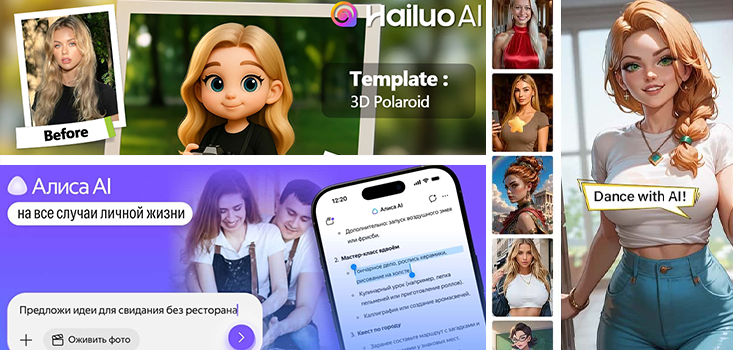
Recent top playable and video samples for AI tool apps show a consistent pattern. The best creatives compress a complex capability into a short, readable loop: ask and receive, detect and fix, reply and continue, edit and transform. What the user needs isn't to understand the technology, but to see the result arrive.
The Core Insight: The Result Is the Hook
"Powered by AI" is no longer enough. Users have already seen chatbots, AI search, image generators, cleaners, and editing tools. The question isn't whether the product uses AI, but whether the creative can make the value feel immediate.
For AI tool ads, the winning loop is often very short:
1.Show a clear intent or problem.
2.Let the user take one easy action.
3.Reveal a fast, visible result.
That loop works across both playable and video formats. A playable ad compresses the product experience into a single interaction, while a video ad shows the result clearly enough for the viewer to imagine using the tool themselves.
Four Product Loops That Keep Appearing
1. AI assistants sell instant response
AI assistant creatives usually simulate a chat or utility interface: a prompt field, a preset question, a function button, and a result area. The first screen works best when the user understands both where to act and what the assistant can do.

The strongest loop is simple: choose or type a low-friction request, show that the AI understood it, then reveal an output. That output might be a reply, an image, a generated idea, a search answer, or a transformed asset. The point is not to show the entire assistant, but to make the first response feel immediate and credible.
For testing, the key variable is the first task. A broad prompt such as "Ask me anything" may communicate flexibility, but a specific task can communicate usefulness faster. Teams should test which first-use case gives the clearest result in the first few seconds: writing, searching, translating, generating, summarizing, or editing.
2. Cleaning and optimization tools sell urgency
AI cleaner and optimization ads often open with familiar system problems: storage is full, duplicate photos are piling up, or the phone is running slow.The creative does not need a long explanation because the user already understands the anxiety.
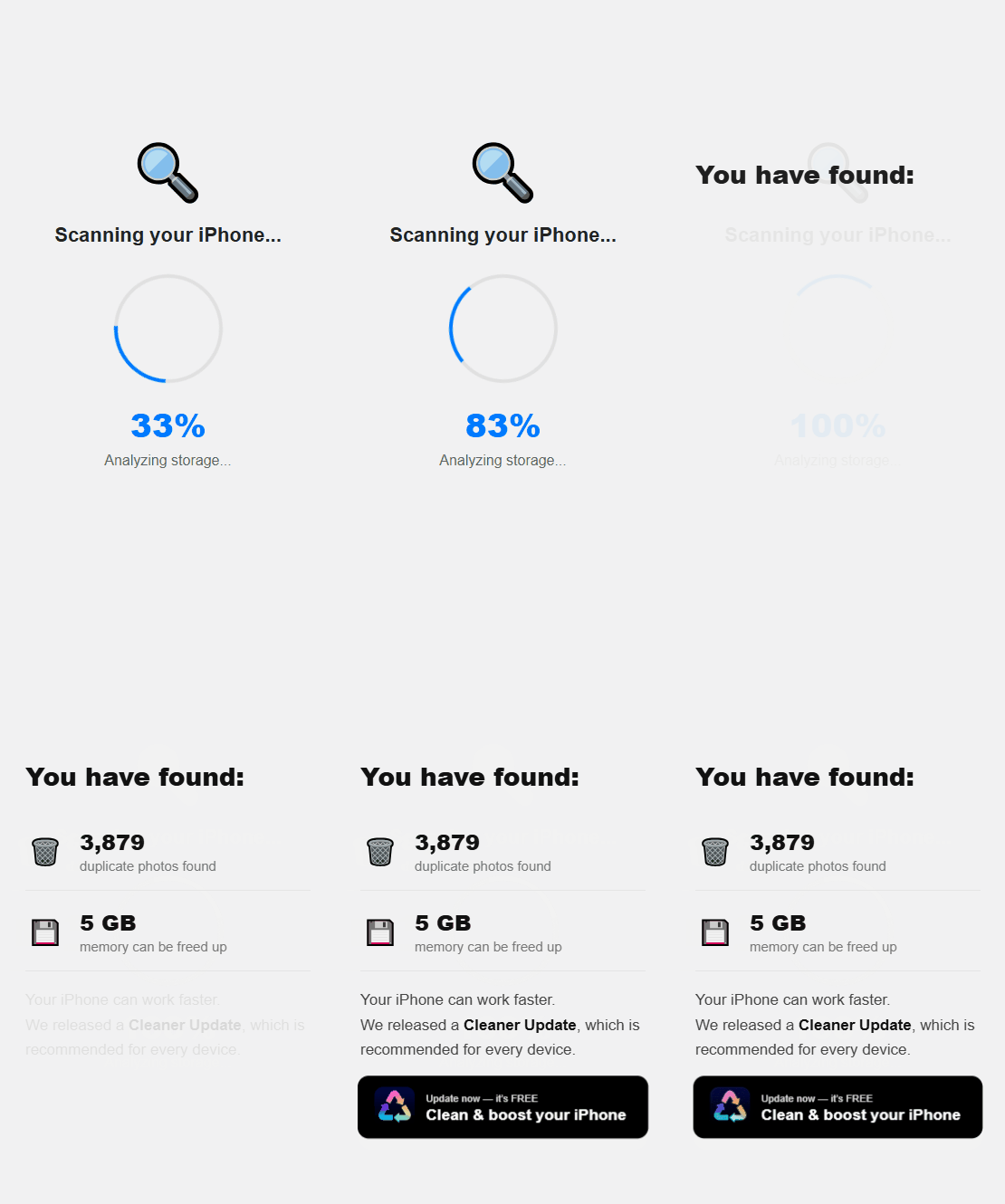
The loop is usually detect, quantify, and resolve. A scan animation, progress ring, duplicate count, storage number, or warning prompt turns the problem into something measurable. Then a large action button makes the next step feel obvious.
In this category, concrete numbers do the persuading. A vague claim like "your phone can be optimized" lands far weaker than an actual figure: the amount of storage freed, the number of duplicate photos found, or a specific cleanup result.
3. AI companion apps sell continuation
AI companion and character chat ads are less about utility and more about relationship momentum. The user isn't just asking, "What can this app do?" They're also asking, "Do I want to keep talking to this character?"
That changes the creative structure. The character visual often carries the first second, while the message preview carries the click motivation. A short opening line, a preset reply, and a follow-up response can create the feeling that the conversation will continue after the tap.

This format should not overload the user with lore or complex role settings. The most useful first loop is usually: character speaks, user replies, character responds in a way that feels personal enough to continue. Rather than proving a full relationship, the ad is previewing the possibility of one.
4. AI photo editors sell visible transformation
Photo editing creatives have a natural advantage: the result can be understood visually. Before/after sliders, face edits, background replacement, aging effects, cutouts, and style changes can communicate value without much copy.
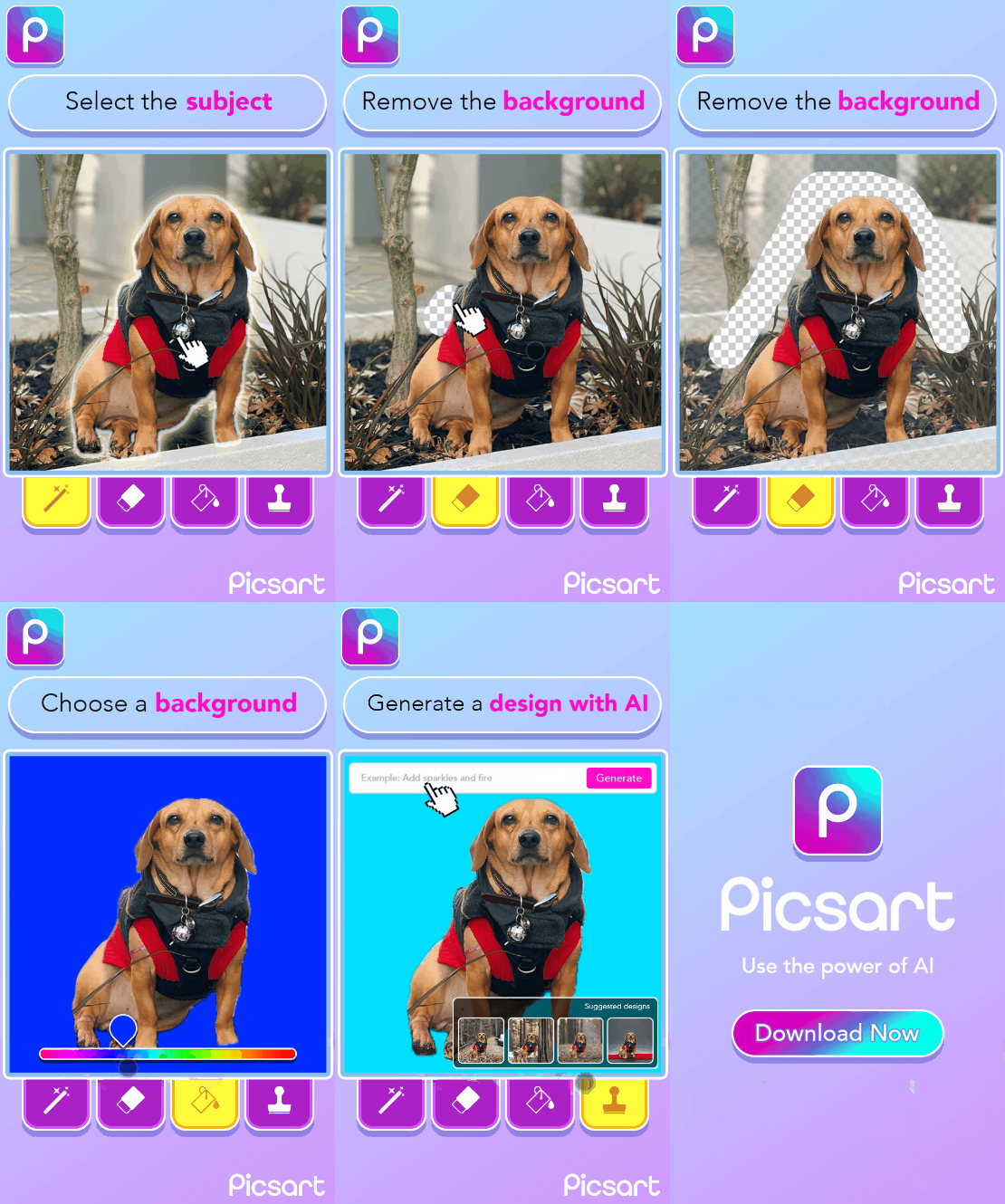
The strongest versions do not spend too long on the controls. They show the change. One tap, one slider, one generated preview, or one split-screen comparison is often enough to make the product clear.
For testing, the most important question is which transformation has the highest first-screen readability. If the change is too subtle, the creative has to explain it. If the change is visually obvious, the result can carry the message.
What Playable AI Tool Ads Need to Do
Playable creatives for AI tools are not traditional game demos. They are micro product experiences. Their job is to make the user feel a response, not to teach a long interaction model.
That means the best playable structure is usually short:
1.Present a clear intent or problem.
2.Give the user one easy action.
3.Show a fast response or result.
4.End before the loop starts to feel repetitive.
This is why one to three steps are often enough. The exact flow depends on the product, but the goal is always the same: create an immediate sense of value. An AI assistant might open with a preset question, a cleaning app with a warning and scan, a companion chat with an opening message and reply choice, and a photo editor with a striking before-and-after transformation.
The important creative decision is what to leave out. Showing every feature adds friction, while highlighting the single most compelling action makes the product feel simple, immediate, and worth trying.
Three Video Structures That Translate AI Into Results
Video creatives have a slightly different job. Since the viewer cannot interact, the video must translate the tool's capability into a result the viewer can understand without tapping.

Result-first videos work because they let the user infer the capability from the output. A polished image, a cleaned phone, a generated answer, or a repaired photo can be more convincing than a long product description.
This structure works best for AI image, search, assistant, cleaning, and editing products, where the value is immediately visible. Its biggest challenge, however, is avoiding too much setup before the user experiences that value.
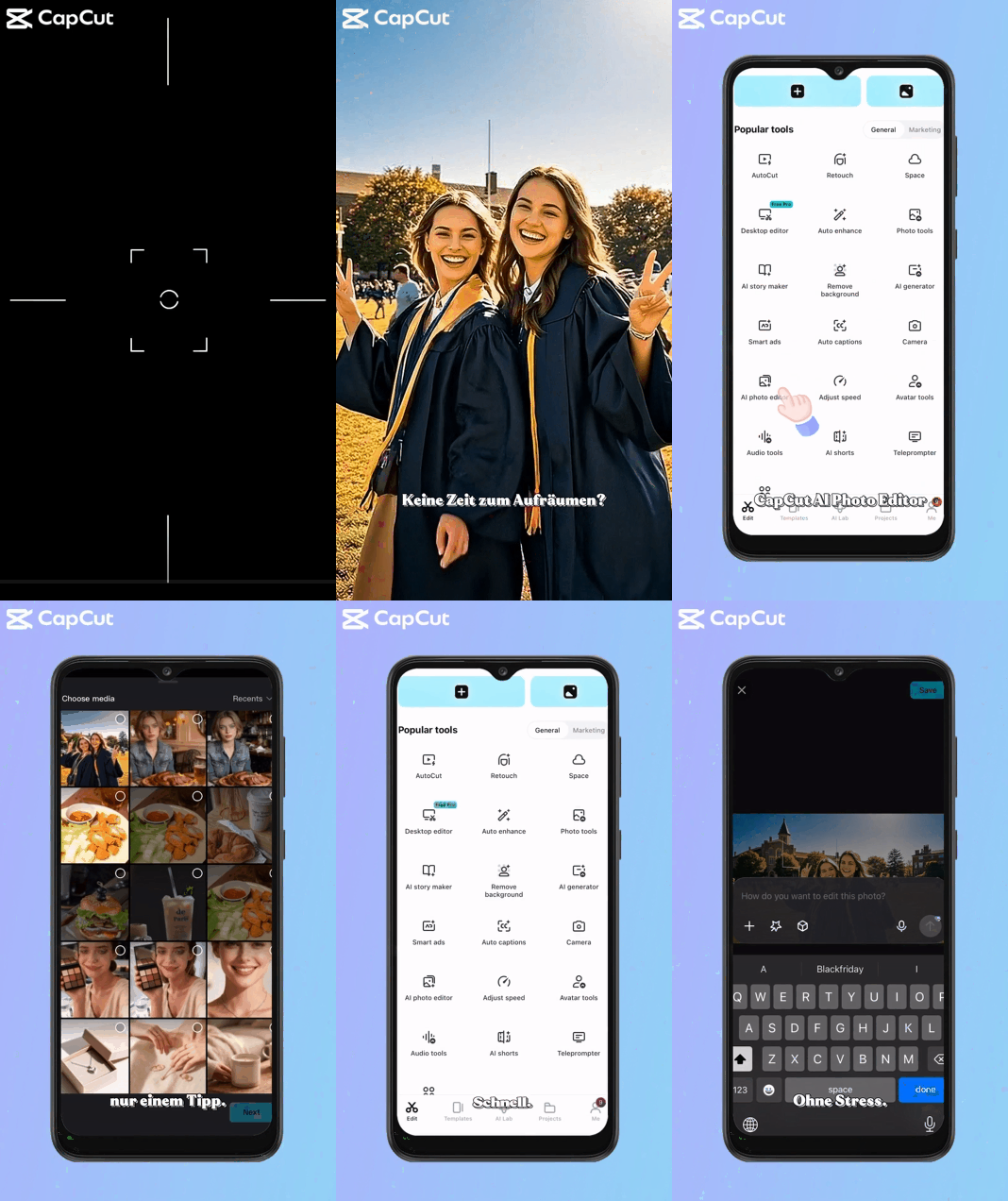
Narrated walkthroughs are useful when the action path matters. They make the product feel usable by showing where to tap, what to enter, and what happens next. At the same time, the risk is over-teaching. The walkthrough should still feel like the shortest credible path, not a complete onboarding session.
This structure is strongest for tools where users need to understand the steps, such as editors, assistants, cleaners, or productivity workflows. Even so, the main risk is turning the ad into a slow tutorial with too many screens.
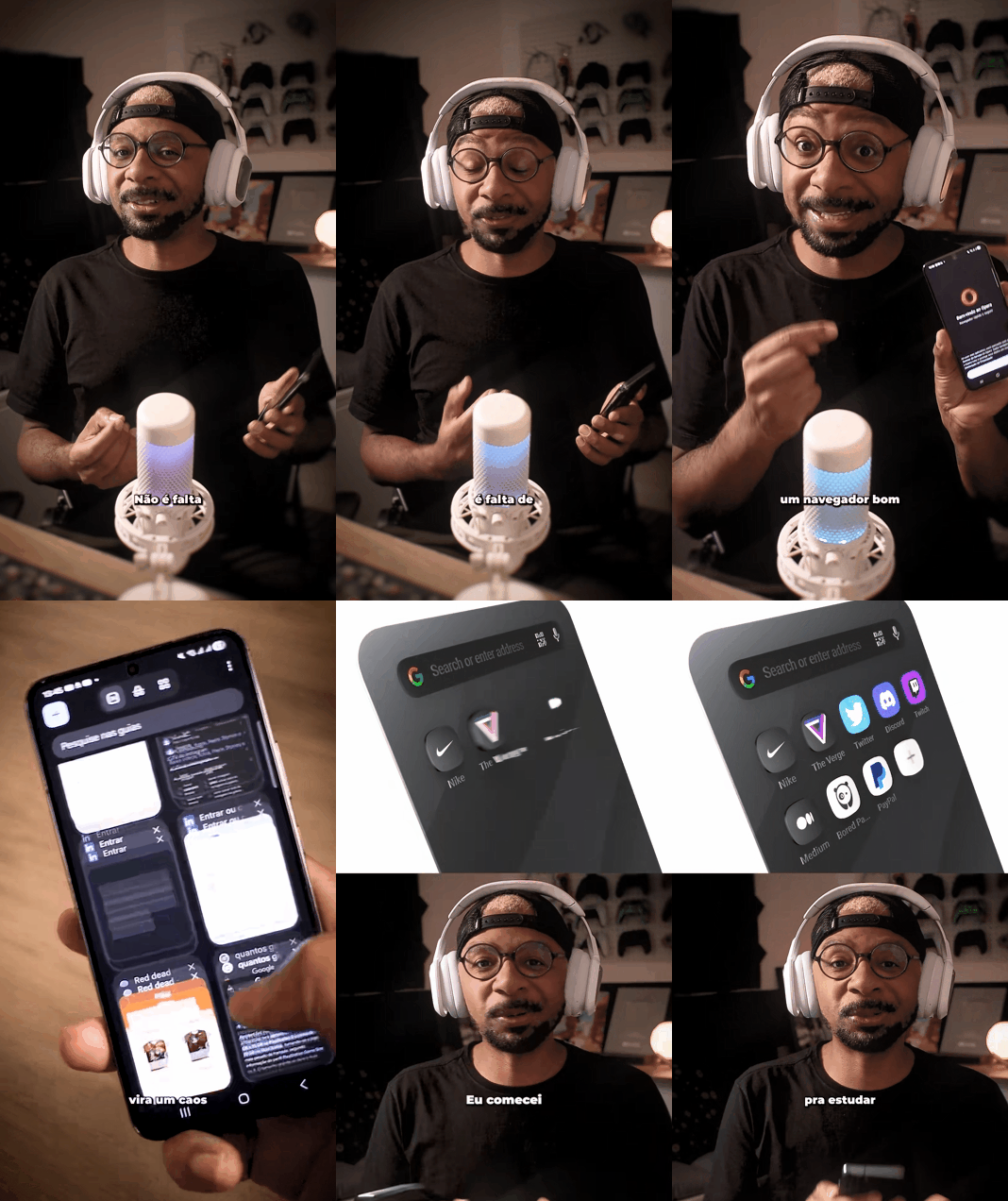
Human-led intros work when the product needs social proof, trust, or context. A person can make the problem feel more relatable before the ad moves into the product screen. But the product still needs to show up quickly. If the human segment delays the result too long, the creative may lose the efficiency advantage that AI tool ads need.
This structure is strongest for products that benefit from trust, recommendation, lifestyle context, or localized explanation. The main risk is letting the human intro take over so the tool result arrives too late.
A Practical Testing Framework
Instead of treating every AI tool ad as a new concept, teams can test these creatives as modular systems. The product category changes, but the creative questions are often similar.
Start with six questions:
1.What is the clearest first intent: ask, clean, chat, edit, search, generate, or fix?
2.What is the lowest-friction first action: preset button, input field, scan button, slider, reply choice, or upload?
3.How quickly does the result appear: immediately, after a short loading state, or after one intermediate step?
4.What proves the result best: visual transformation, number change, generated response, character reply, or before/after comparison?
5.Where should the creative stop: right after the result, during an unfinished step, on a CTA, or after showing multiple use cases?
6.Which parts need localization: prompt language, voiceover, character style, UI copy, pain point, result example, or CTA?
These questions help keep testing disciplined and prevent teams from mistaking feature variety for creative clarity. A creative can be based on a powerful AI product and still fail if the first loop is unclear.
The Production Implication
AI tool ads are a strong fit for scalable creative production because the underlying structure is repeatable. Most versions are built from a small set of variables: interface style, opening intent, prompt or pain point, result format, proof element, voiceover, language, ending, and CTA.
For teams using Playturbo, this can translate into a practical production workflow. Playable templates and an editor can help teams build short "input to result" or "problem to fix" experiences without rebuilding the structure from scratch each time.
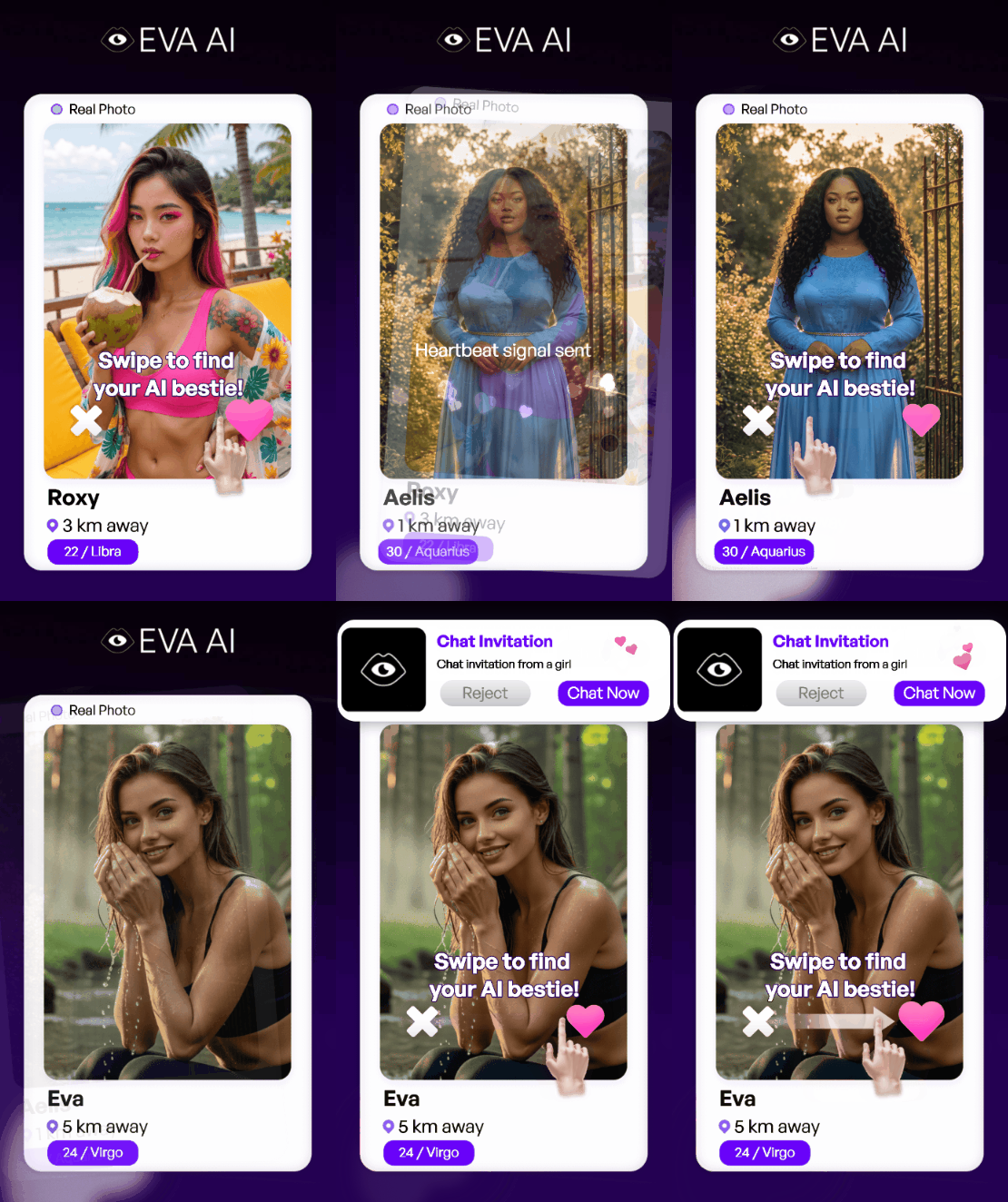
Video production workflows can combine result shots, narrated screen recordings, human-led intros, AI avatar videos, multilingual copy, and placement-specific ratios into more disciplined variant sets.
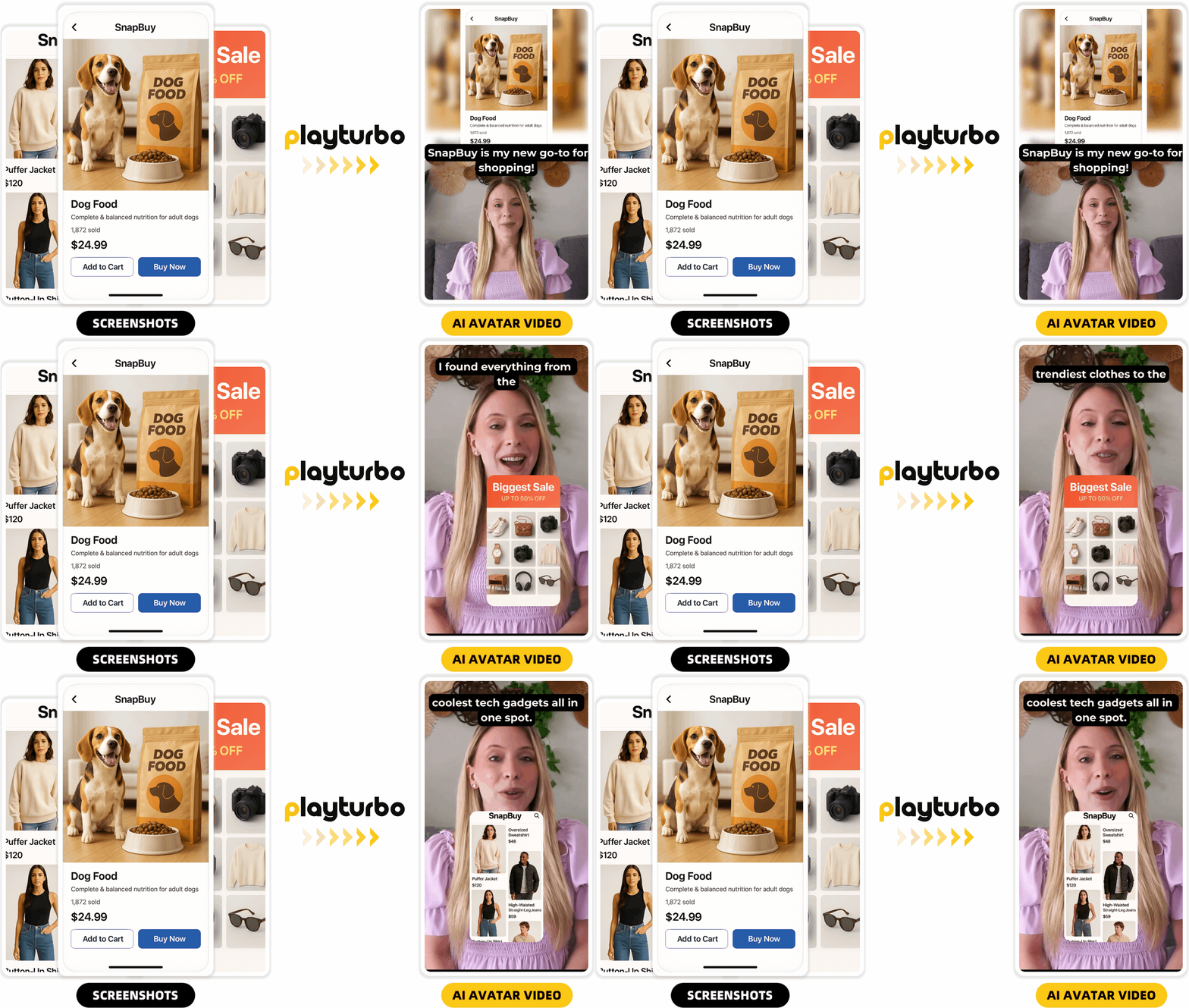
The value is not that a tool replaces creative judgment, but that it makes repetitive production work easier to manage, allowing teams to test strategic variables faster: which first task is clearest, which result is most visible, which pain point creates urgency, which character cue drives continued engagement, and which localized version feels native to the market.
That distinction matters for AI tool ads. The category moves quickly, but the winning creative logic is often practical and specific. The team that can turn one insight into many clean, comparable variations has a better chance of learning what actually changes user response.
Final Takeaway
AI tool ads do not need to make AI feel mysterious. They need to make one useful result feel immediate.
The strongest creatives compress the product into a readable loop: a clear intent, a simple action, a fast response, and a result users can instantly recognize. That result looks different across categories: an answer for AI assistants, a resolved problem for cleaners, an ongoing exchange for companion apps, and a visible transformation for photo editors.
In 2026, the opportunity is not to explain more features. It is to choose the right first moment, make the result unmistakable, and build a production system that can test those moments at scale.
Ready to elevate your ad strategy? Explore Playturbo's innovative solutions and discover how we support developers to generate high-performing AI ads at scale. Follow us on LinkedIn to keep track of all our updates. Sign up today to kickstart your journey with video ads!