Creative Best Practices for Word Games in 2026
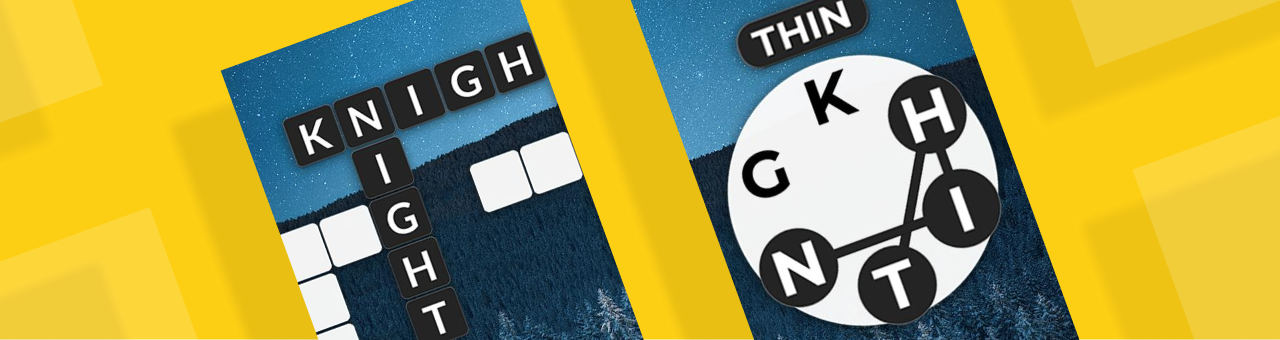
Word games maintain their global dominance because they offer immediate cognitive satisfaction with a low learning curve. In fact, such games serve as the perfect "snackable" brain training, providing users with a sense of accomplishment during short breaks. While the core mechanics of the genre remain stable, the category continues to evolve through innovative variations.
In this blog, we break down the creative strategies behind these successful formats and explore how creative automation platforms like Playturbo can help scale, iterate, and optimize them across global markets.
Best Practices for Word Video Creatives
The primary role of video creatives is to show users what the game offers and why it's worth trying. The gameplay serves as the foundation, while the creative highlights the game's core value.
Top-performing word game video ads typically avoid elaborate storytelling, leaning instead into direct gameplay demonstrations. Because players usually understand the mechanics already, the creative only needs to focus on showing the user that the experience is intuitive and relaxing.
These video creatives usually feature a light UI and a straightforward composition, focusing the viewer's eye on the letter grid, word slots, or card layouts. Visual styles may vary by mechanic, but guiding gestures such as swiping, tapping, or flipping are essential for ensuring users understand how to interact.
Most videos jump directly into the action, establishing the rules within the first few seconds. The pacing remains smooth, building momentum as words are solved, and typically triggers a call to action just before a level is completed. This leverages a sense of incompletion to drive high-intent clicks.
Best Practices for Word Playable Creatives
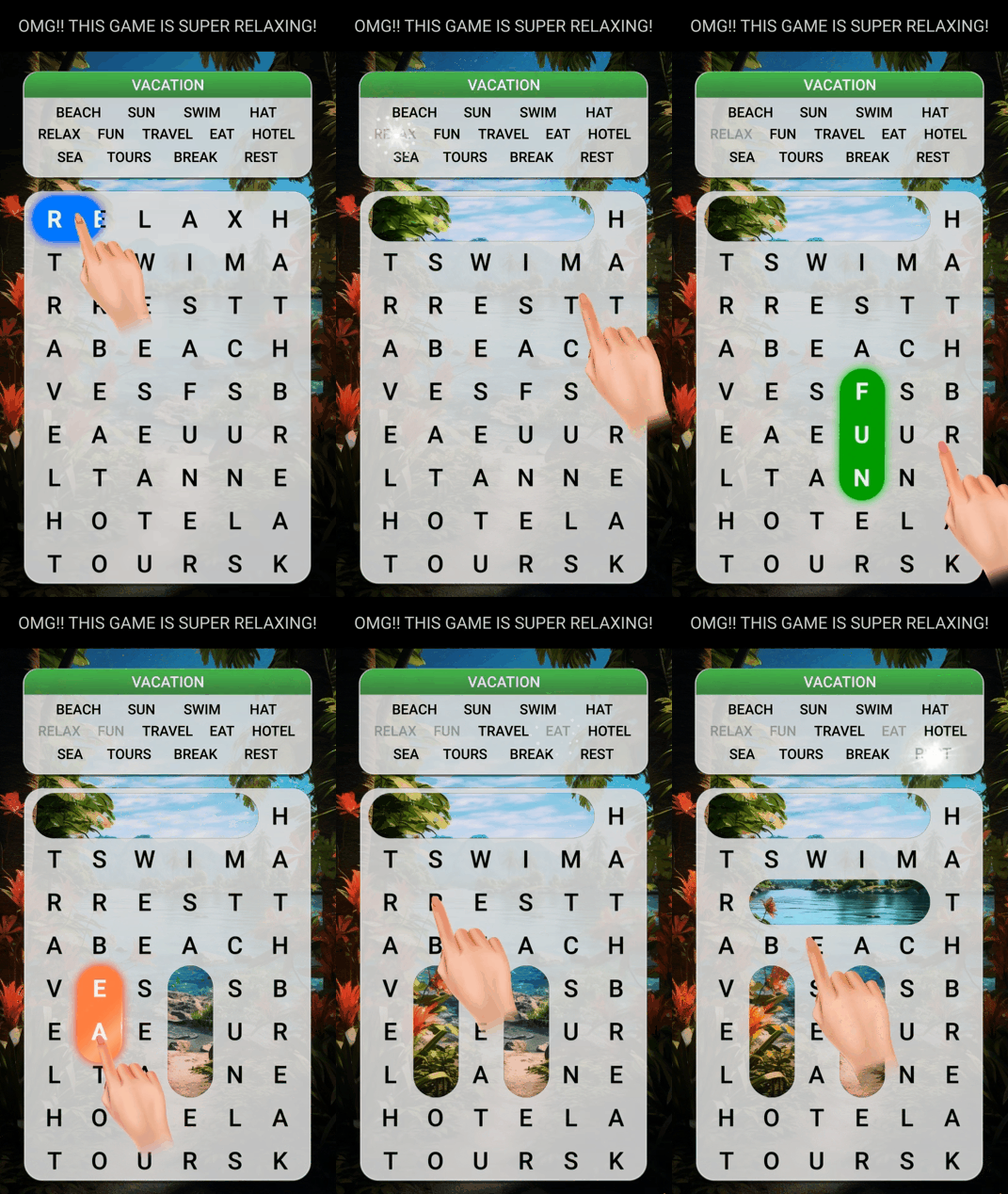
Playable creatives focus on making users feel like they are already solving the puzzle. Top-performing playables focus on a few core cognitive actions: matching words, filling blanks, chaining and solitaire, and categorization. The primary difference between mechanics is not the difficulty, but how the puzzle is paced and presented to the user.
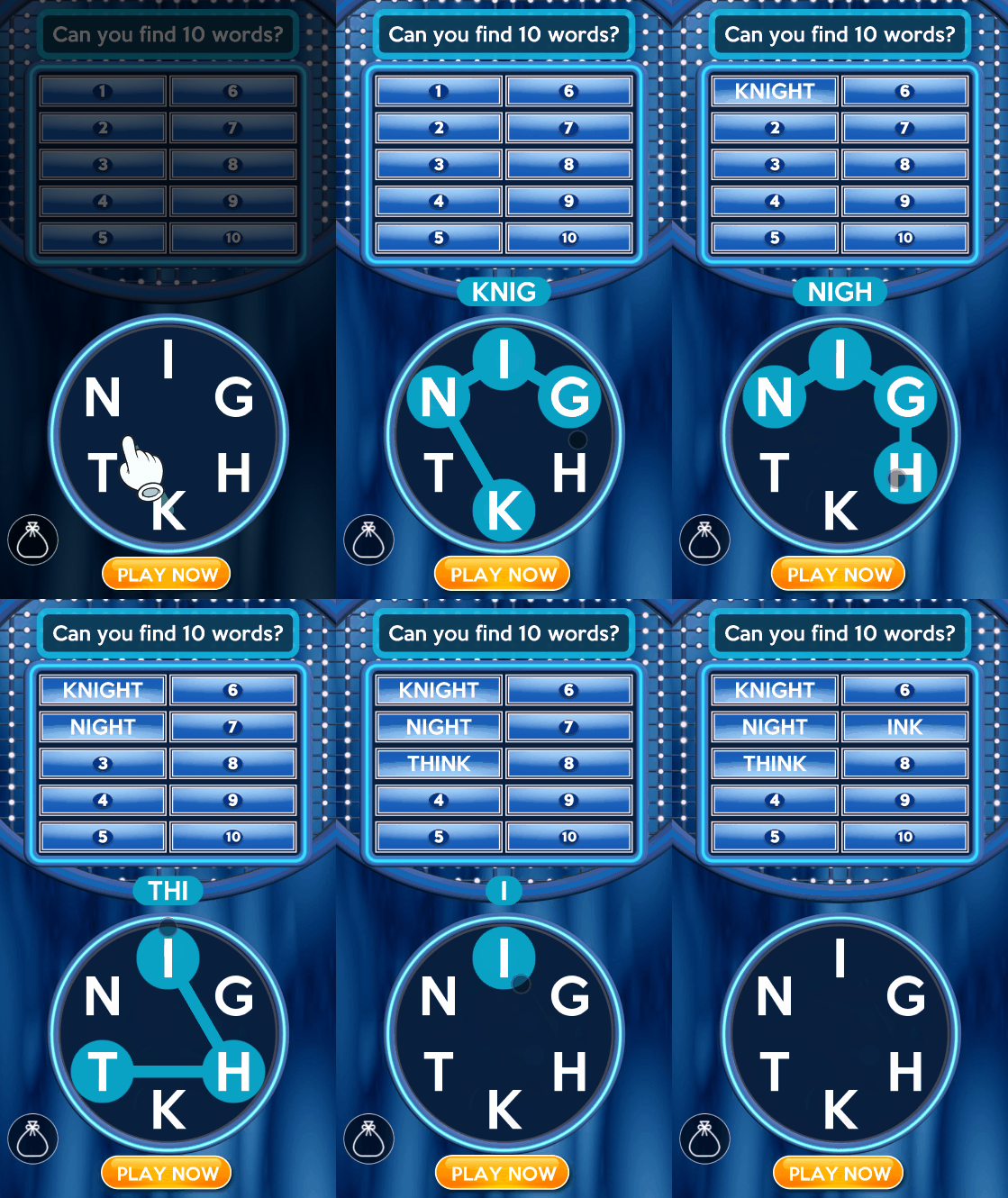
Word Matching
This format typically places a cluster of letters in the lower half of the screen, with a clear space for swipe interactions. Target word slots or blanks appear at the top, signaling that the goal is to form specific words from the given letters.
The playable usually begins by demonstrating a simple swipe to connect two or three letters, thereby establishing the "connect-form-progress" loop. Correct answers trigger visual feedback like highlighted tiles or audio feedback, while incorrect attempts provide light error cues to keep the user on track. The interaction flow is intentionally short, often triggering a redirect after the user completes just two or three words.
Crossword Fill-Ins
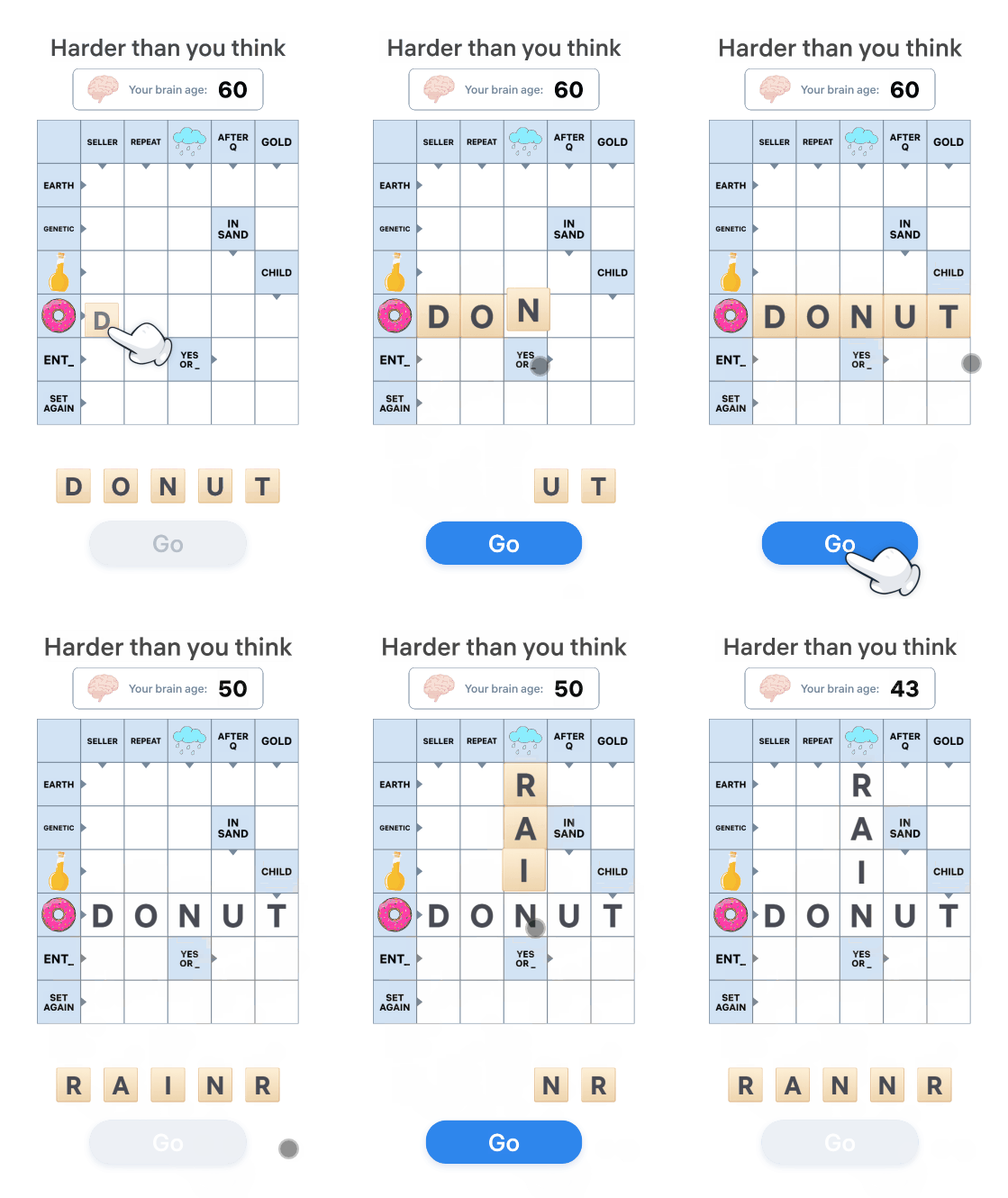
Resembling a traditional crossword puzzle, this format features a grid of intersecting blanks with selectable letters placed at the bottom.
The playable typically starts with an obvious clue, allowing users to quickly complete their first word. Correct answers trigger rewarding feedback, such as filled tiles and sound effects, while errors introduce light friction through brief feedback. The interaction steps typically range from two to nine, and most of the time, the creatives redirect users after several keywords are filled to maintain high engagement levels.
Word Chaining and Solitaire
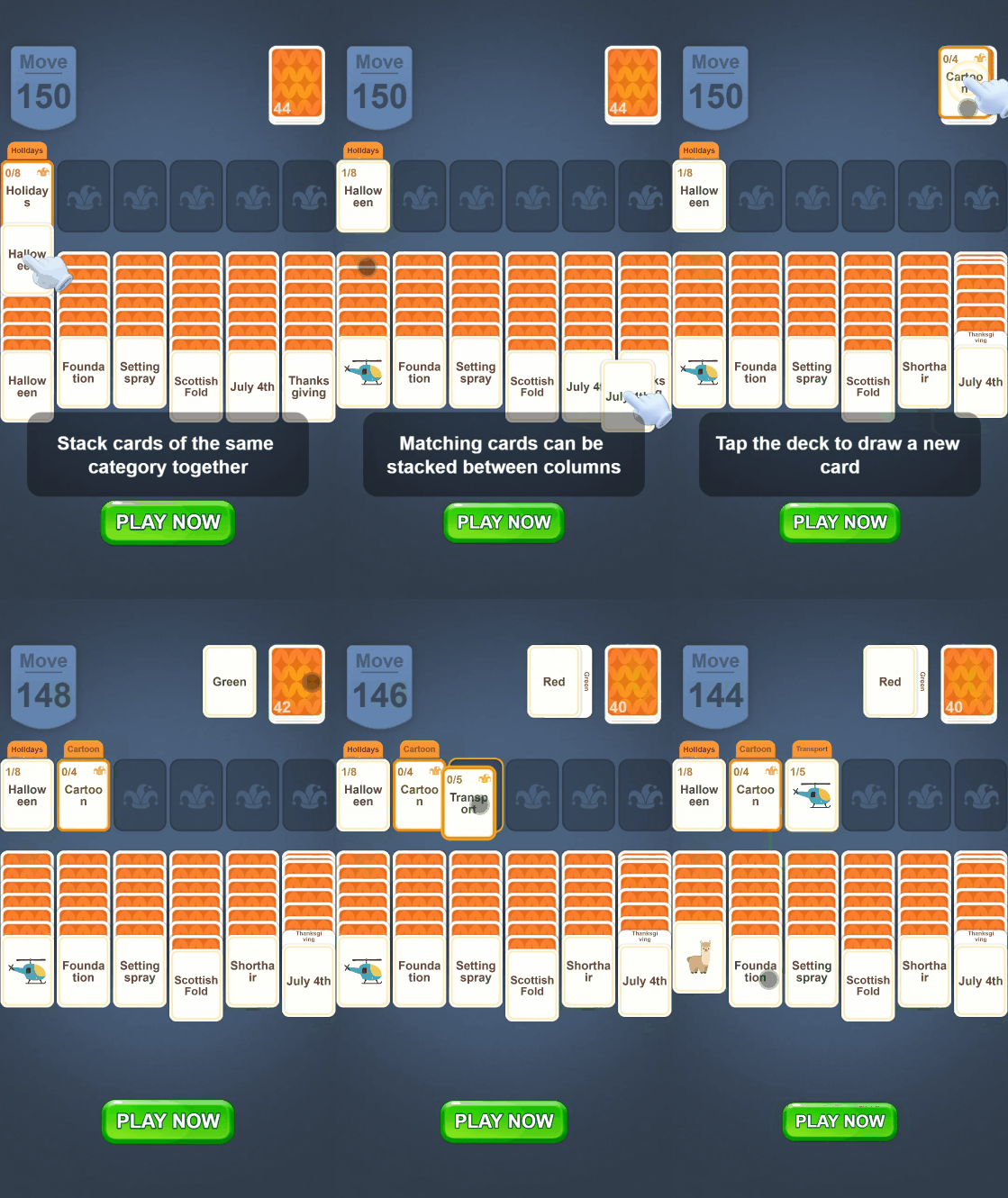
This format draws from card-based solitaire layouts to create an experience that feels both intuitive and fresh. The screen often features stacked cards, columns, and target areas, with each card representing a word or letter sequence.
Users interact by selecting or moving elements to form valid word sequences or clear columns. Compared to other formats, this experience tends to run longer, allowing users to progress deeper into the puzzle before reaching a call to action. The extended flow helps reinforce engagement and progression.
Word Categorization
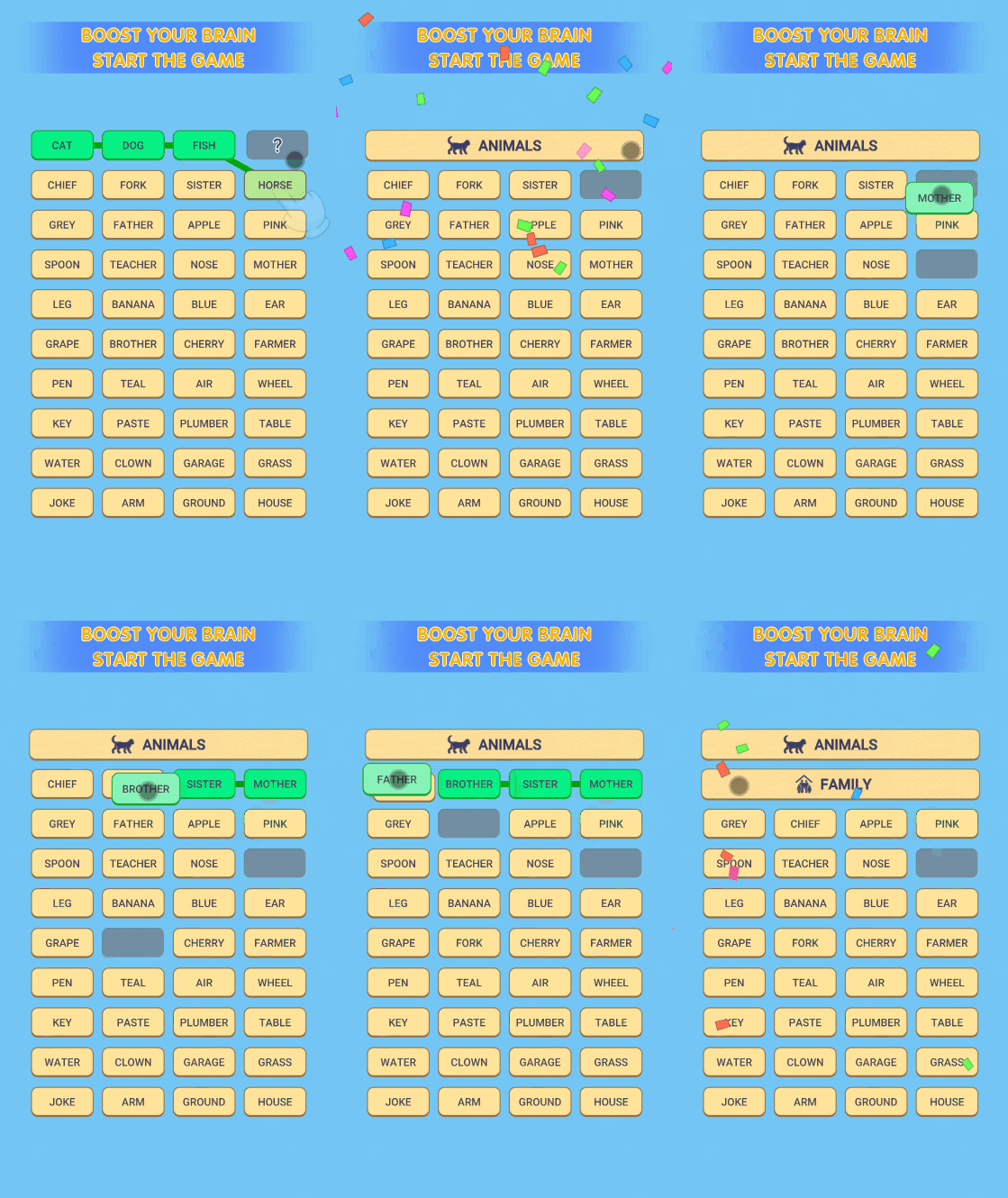
This format presents a grid of words at the center of the screen, paired with category labels at the top. The interaction begins with the user selecting a word from a specific category, helping them grasp the grouping logic immediately. As they sort words into categories, the puzzle gradually clears, reinforcing a sense of progress. These playables are typically longer, encouraging users to enter a focused "flow state" before the final redirect occurs.
Create Winning Creatives with Playturbo
Playturbo empowers mobile app advertisers to create high-performing mobile video and playable ad creatives at scale. With a vast library of up-to-date video templates, users can easily stay on top of the latest creative trends and customize elements such as visuals, copy, and music.
Users can also edit their videos on Playturbo, including resizing and language adaptation, batch production, and more. And for teams looking to turn video ads into interactive experiences, Playturbo's Interactive Video Editor offers a seamless transition.
Ready to elevate your ad strategy? Explore Playturbo's innovative solutions and discover how we support developers to generate high-performing AI ads at scale. Follow us on LinkedIn to keep track of all our updates. Contact us today to kickstart your journey with video ads!